Certified sites
Human services licensing
Registering a new certified site
Log into the provider portal
Select the correct facility
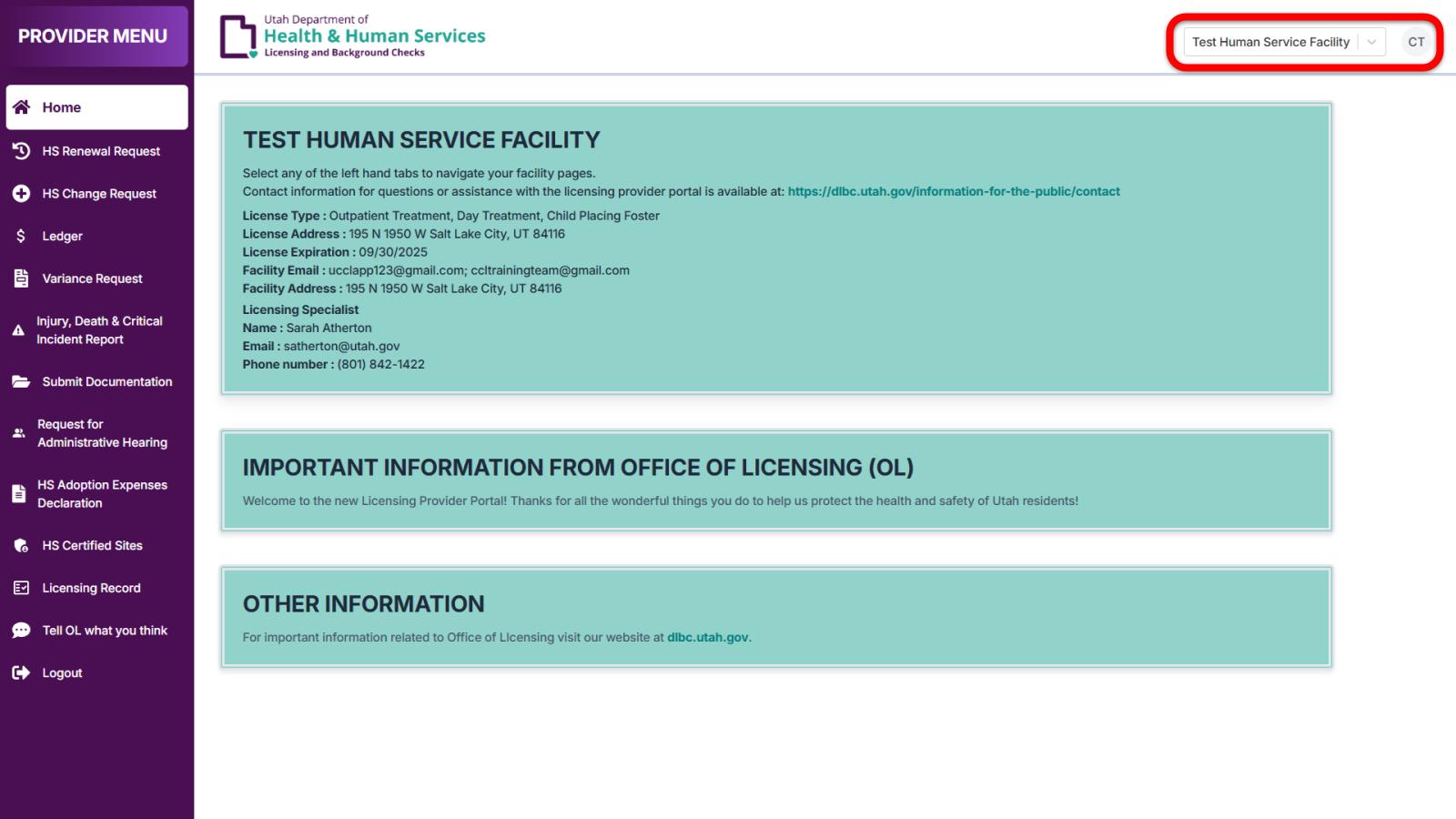
When you log in, you will be prompted to select a facility. If you have already selected a facility, you can change which one is selected using the dropdown menu in the top right corner of the screen. Select the facility where you would like to add a new site.
Certified foster homes must be registered under a Child Placing Foster license.
DSPD Certified Residential Support sites must be registered under a Residential Support license with a Registered Certifications specialty.

Upload documentation (DSPD only)
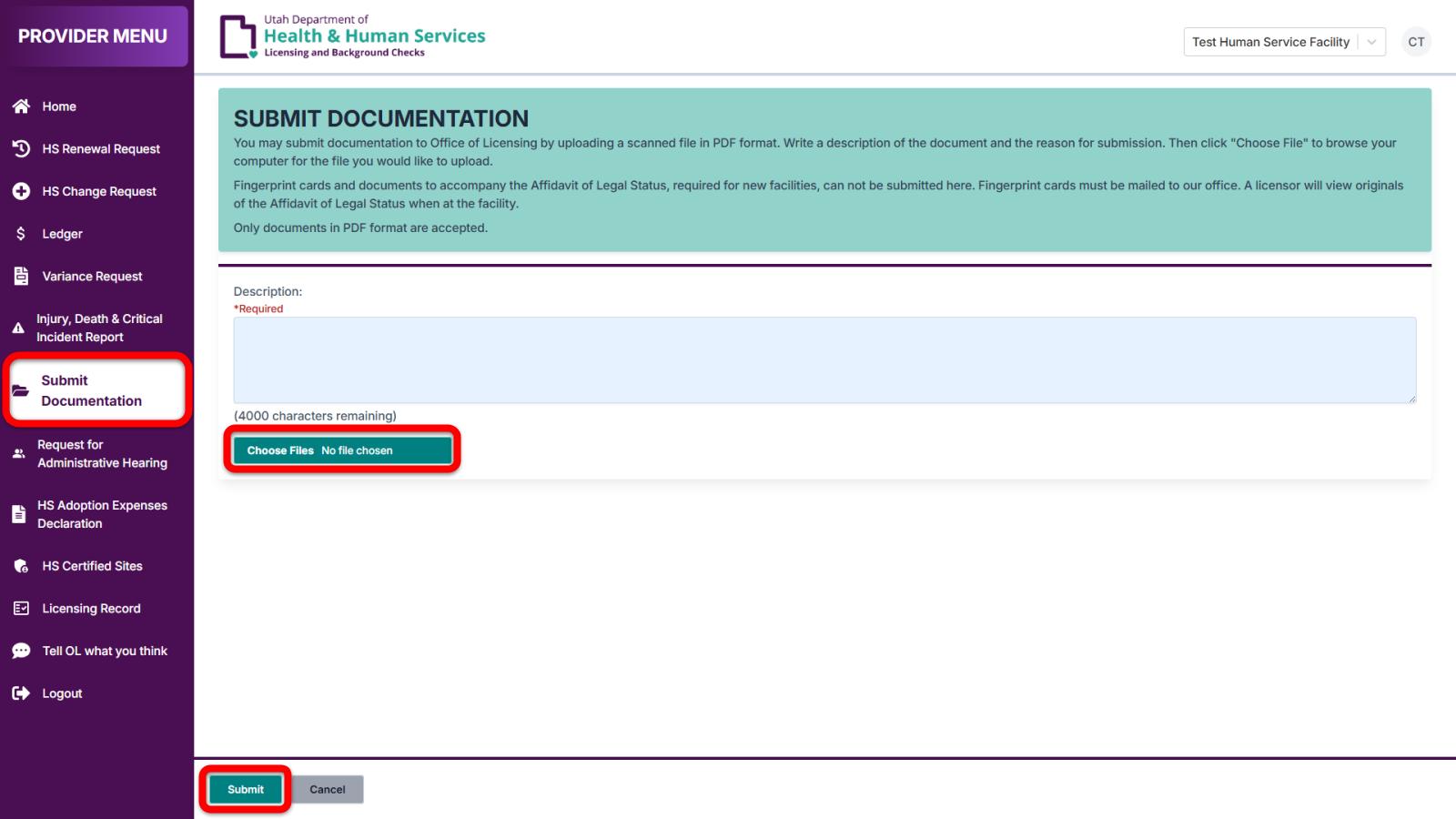
If you are certifying a site for a DSPD program, you must upload a completed HCBS Settings Rule: Attestation Tool for Residential Settings and HCBS Settings Transition Provider Self-Assessment Tool, Residential: Setting Specific in your portal. Do this by clicking on Submit Documentation in the provider menu, choosing the appropriate file from your computer, writing the name and address of the site in the description field, and selecting Submit.
Only files in a PDF format may be uploaded through your portal. Other formats are not supported.
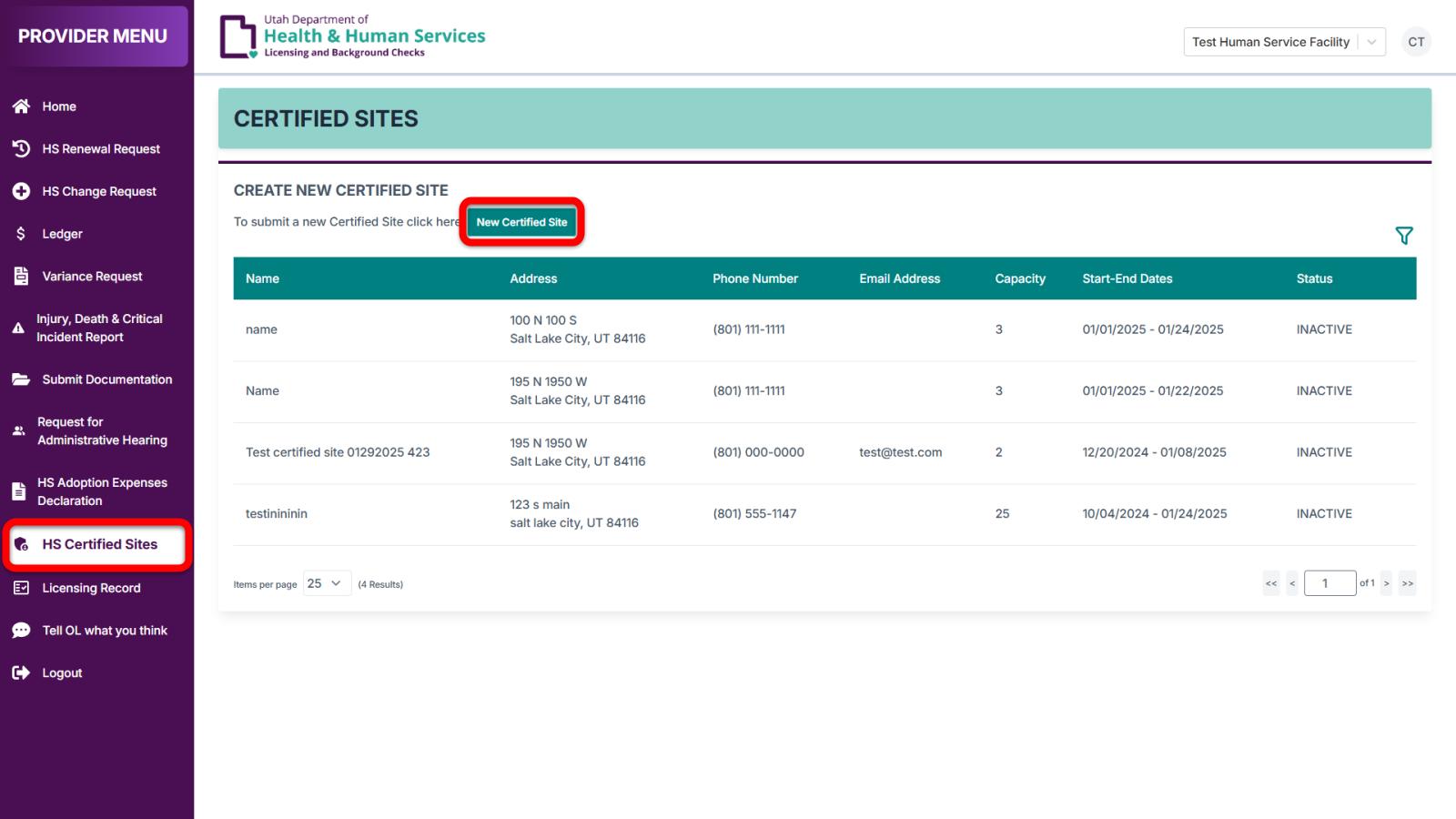
Start a new certified site
Enter certified site information
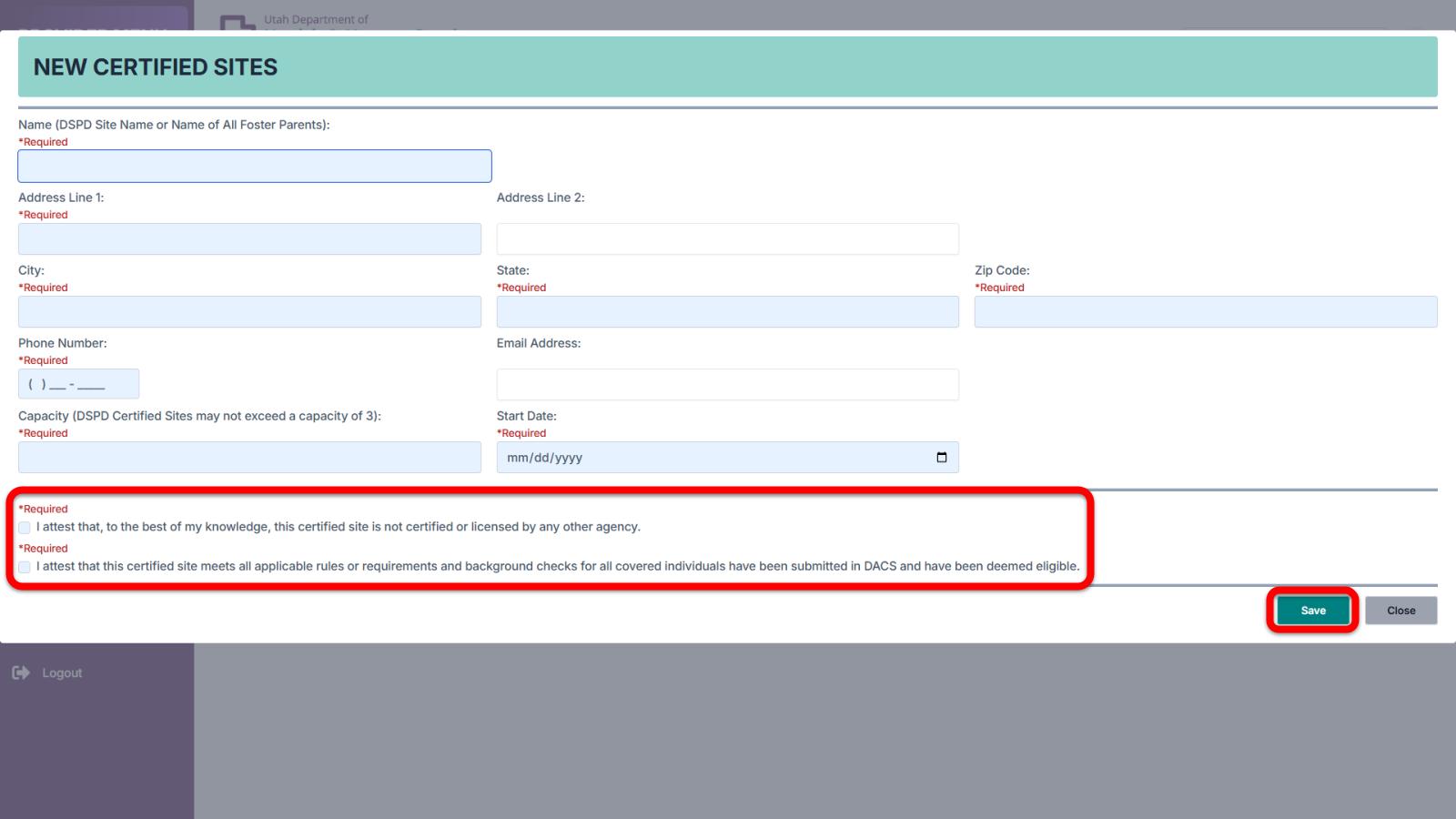
Fill out all required fields. Note the following:
- The name used must be unique to each site. You may not use the same name for more than one site.
- Do not use special characters such as #. For example, rather than "Apt. #12" enter "Apt. 12".
- The start date should be the day the site was verified as fully compliant with all applicable rules.